The other option will be to use Update Panel ASP.NET control as much as possible. It helps to retain the current position on the page whenever a postback happens to the page.
In this article, I'll show you how to create interceptors to implement AOP techniques. I'll use ASP.NET Boilerplate (ABP) as base application framework and Castle Windsor for the interception library.
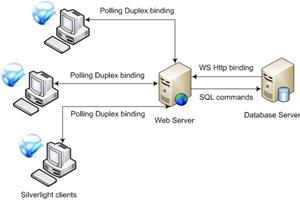
This article presents the techniques and caveats of building Silverlight applications that can be notified about database state changes via polling duplex. WSHttp binding and CLR triggers are used to implement the solution as well.
Add Basic Group-Based permissions management to your ASP.NET MVC application. For applications of moderate complexity, which require a little more granularity in authorization permissions, but which may not warrant moving to a heavy-weight solutions such as Active Directory.
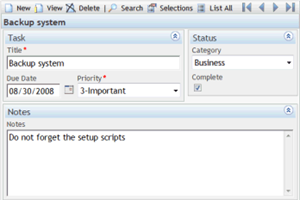
A generic Web User Interface for CRUD applications generating all screens at run-time based on external metadata. It comes with sample applications for address book, memo pad, to do list, restaurants list, wine cellar, and database structure documentation that are easily customizable.
When working with ASP.NET Web Api from a .NET client, one of the more confounding things can be handling the case where errors are returned from the Api. Specifically, unwrapping the various types of errors which may be returned from a specific API action method, and translating the error content in
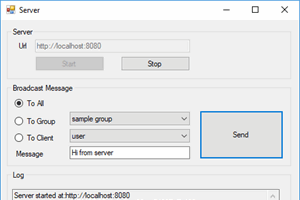
SignalR server and client applications for demonstrating common scenarios like connecting, disconnecting, joining and leaving groups, sending messages to all clients, to specific or group of clients
This article will talk about how to implement a custom wrapper for your ASP.NET Core and Web API applications for managing exceptions, providing meaningful and consistent responses to consumers.
A collection of ExtractionRules, ValidationRules, and Request Plugin that makes ASP.NET and AJAX website testing painless. No need to record tests, write parameterized tests using server-side control names, handle UpdatePanels, simulate clicks on buttons - all from Web Test.
jsRazor is unbeatably powerful and stupidly simple client-side rendering approach that consists of ONLY TWO functions. Tiny javascript library entirely eliminates the need for server-page rendering, in the same time giving your apps unmatched simplicity and flexibility.
Convert a generic list to an Excel byte array using Open XML SDK and dynamically create an Excel file for data distributions from an ASP.NET MVC website
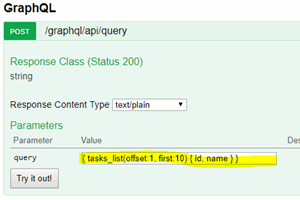
This article will show you how to expose the database schema to the APIs, then query from it. No boilerplate code for simple query actions. Go and read it.
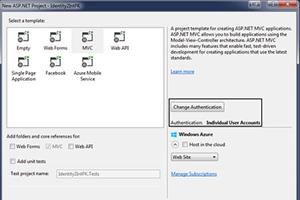
ASP.NET team released Identity framework 2.0. The new release contain some new features like generic primary key. This article explain how to change primary key from string to integer & use it with MVC5.
In this article I will demonstrate two things: First a very basic and simple code snippet to show how we can use task factory to make our web applications more responsive, the next part will be on how to use the SignalR to broadcast messages from the Web Server to all the clients connected.
This article shows how we can implement WebBinding for the AngularJS library and, use it for binding AngularJS client side objects to ASP.NET server side objects.
Open source framework for monitoring Asp.Net Web Api 2 and MVC5 applications performance without using windows performance counters, automates performance counters data collection, store and visualization.
Demonstration of how to create an externally extendable dynamic page, which will support all controls that we can add later in a separate assembly without the recompilation of the dynamic page
This article will find out a solution to serialize/deserialize object by reference at server and client, also will serialize/deserialize objects having circular references.
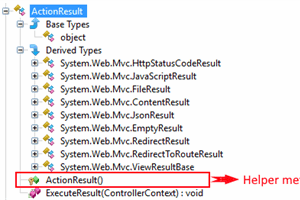
In this article, you will learn about basic foremost concepts about Action Results in ASP.NET MVC 5. Hope you'll enjoy this. Feel free to give your feedback.
For modern web-applications has become the usual to use AJAX when you create user interfaces. However, it makes our headache from time to time. And often these difficulties are associated with authentication and processing such requests on the client.
In this article we will try to understand about ASP.NET MVC Routes. We will get to know the details about routes and try to see how we can implement route constraints.
This article is an attempt at splitting out the controller layer to reduce its complexity and improve quality and maintainability of the resulting code.
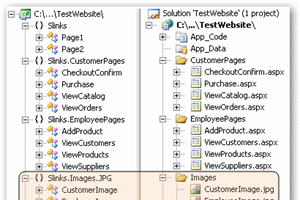
Slink is a code generating Framework that generates type safe URLs for ASP.NET. With Slink URLs, you increase code quality, increase maintainability, and get compile time checking of your URLs in all your ASPX pages (code-behind and non-codebehind).
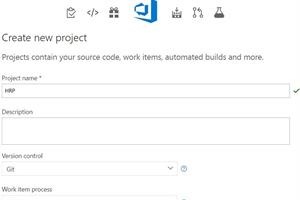
This article mainly covers how to create new build and release definition using VSTS. There are short descriptions of DevOps, continuous integration, continuous delivery and continuous deployment.
This is the second part of a multipart article on unifying web and window form application development. This part demonstrates synchronous and asynchronous event handling of GUI control events, abstracting the implementation of web/window forms to be technology independant.













 Submit an article or tip